Let us help you on your computer
About 1 minute. We only see your screen while the app is open — close it and access ends.
Remote help works on Windows and Mac: help.improovy.ae
1Download
Download for Windows25 MB · nothing to install
2Open the file
If this blue window appears, click More info, then Run anyway.
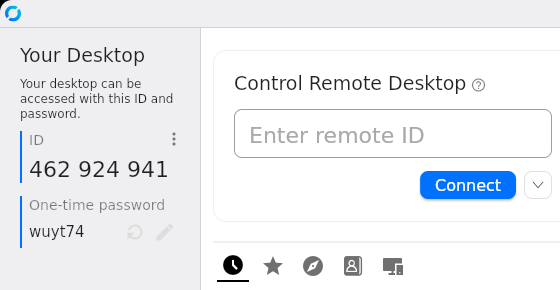
3Send us your ID and password
Tell us both on the call or send them on WhatsApp. That’s all — we connect right away.
1Download
Download for MacMac from 2020 or newer. Older Mac? Download this one
2Install and open
Open the downloaded file, drag RustDesk onto Applications, then open RustDesk.
3Allow screen sharing
Your Mac asks once. In System Settings → Privacy & Security switch RustDesk on in these two places:
4Send us your ID and password
Tell us both on the call or send them on WhatsApp. That’s all — we connect right away.
We never ask for your bank details or passwords to other accounts — you type those yourself. The connection is end-to-end encrypted.